Run a community Looking after the server
Backups
Everything Sideporch keeps lives in its data directory:
sideporch.db, the SQLite database with all messages, accounts and settings;files/, uploaded files and pictures, named by their SHA-256, so they never change once written;secret.key, which decrypts stored secrets such as API tokens and the SMTP password.
Back up from the browser
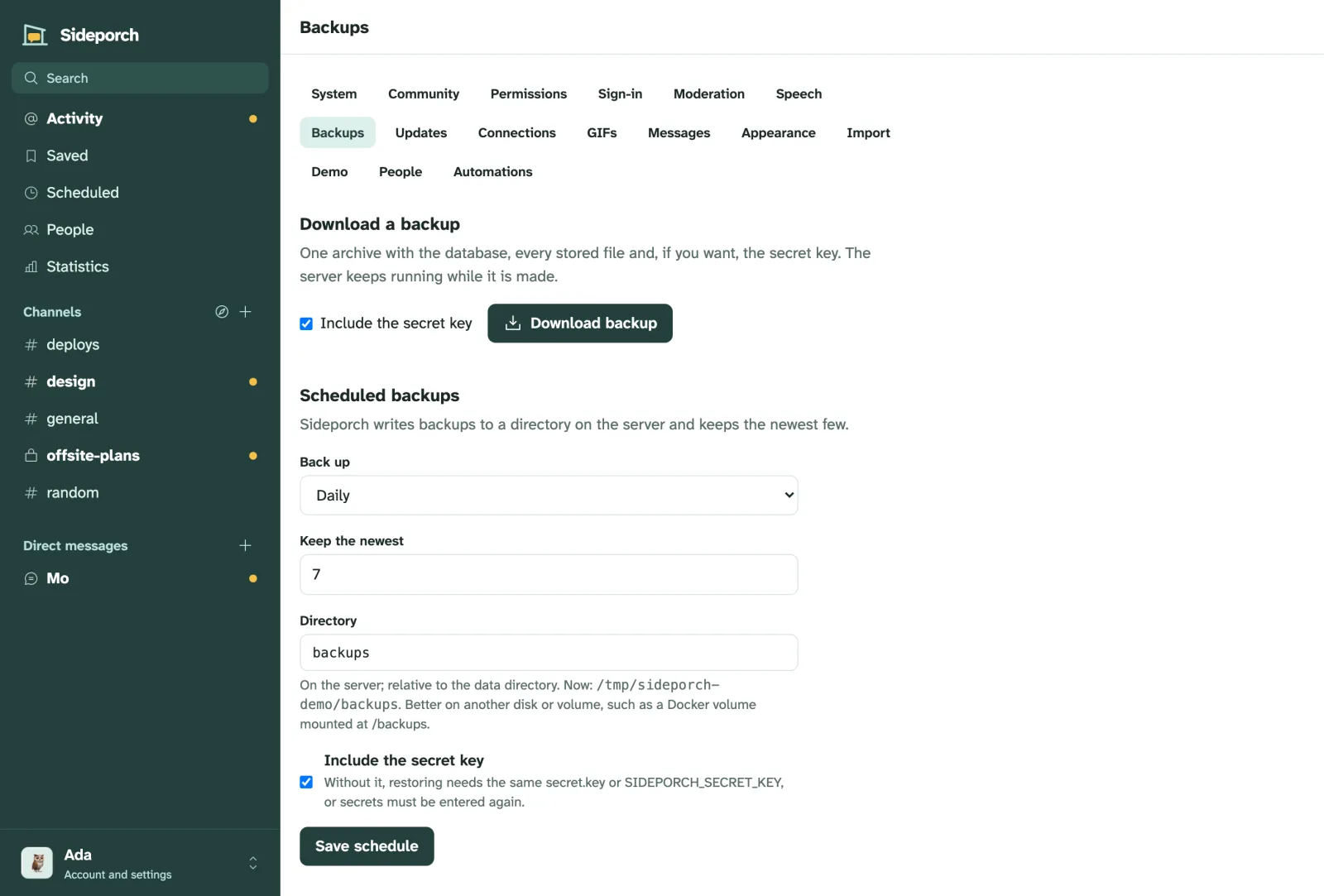
Under Admin → Backups, download a backup: one .tar.gz archive with all of it, made while Sideporch keeps running. The database is copied as a consistent snapshot, so nothing is half-written.
Back up on a schedule
On the same page, let Sideporch write backups by itself:
- How often: every 6 or 12 hours, daily or weekly.
- Where: a directory, relative to the data directory unless you give a full path. Best on another disk or a mounted volume, so a broken disk doesn’t take the backups with it.
- How many to keep: the newest 1 to 100; 7 by default. Older ones are removed.
- Whether to include
secret.key. Without it, a restored server can’t read stored secrets; keep the key somewhere else then.
The page shows when the last backup ran, and any error.
Restore
Stop Sideporch and unpack an archive into an empty data directory:
sudo systemctl stop sideporch
sudo sideporch restore sideporch-20260928-101500.tar.gz --data /var/lib/sideporch
sudo chown -R sideporch:sideporch /var/lib/sideporch
sudo systemctl start sideporch
To replace a database that is already there, add --force. The same command restores the copies Sideporch keeps before each upgrade.
Other ways
- Stop Sideporch and copy the whole data directory.
- To back up while it runs with your own tools, copy the database first, with
sqlite3 sideporch-data/sideporch.db ".backup backup.db", then the rest of the directory, for example with rsync or restic. Files are only ever added, so copying them after the database is safe. - Litestream can replicate the database continuously; back up
files/andsecret.keyalongside it.
Moving to another server
Download a backup, install Sideporch on the new server, restore the backup there, and point your domain at it.