Themes and profiles
Everything about your account is under your name at the bottom of the sidebar.
Themes
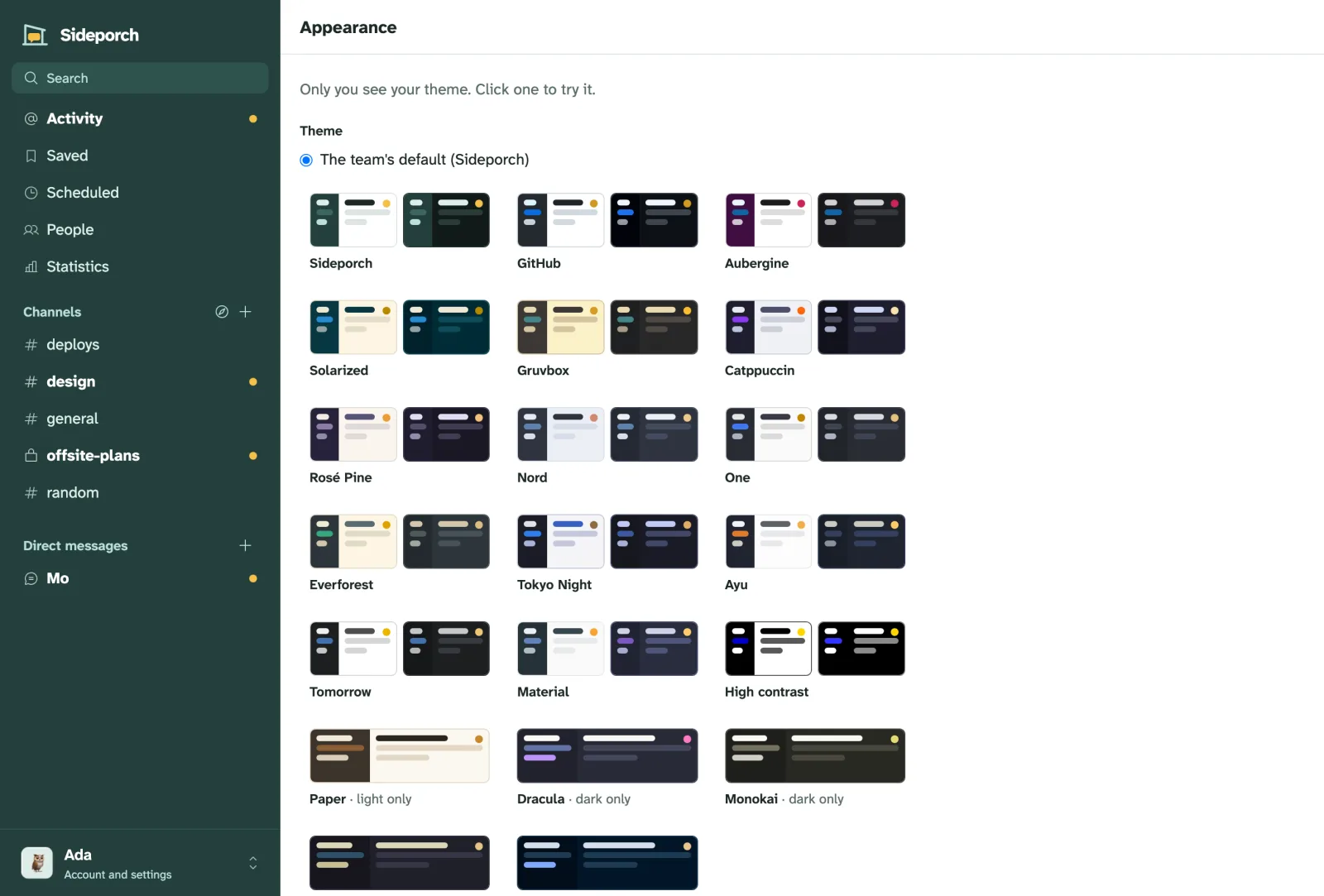
Pick one of 20 themes under Appearance, light, dark, or following your system:
Sideporch (the default), GitHub, Aubergine, Solarized, Gruvbox, Catppuccin, Rosé Pine, Nord, One, Everforest, Tokyo Night, Ayu, Tomorrow, Material, High contrast, Paper, Dracula, Monokai, Kanagawa and Night Owl.
Admins set the team’s default under Admin → Appearance; everyone can still choose their own.
Your profile
Everyone has a profile with a picture, a display name, a status with an emoji, a short bio and links. Click someone’s name or picture to see theirs.
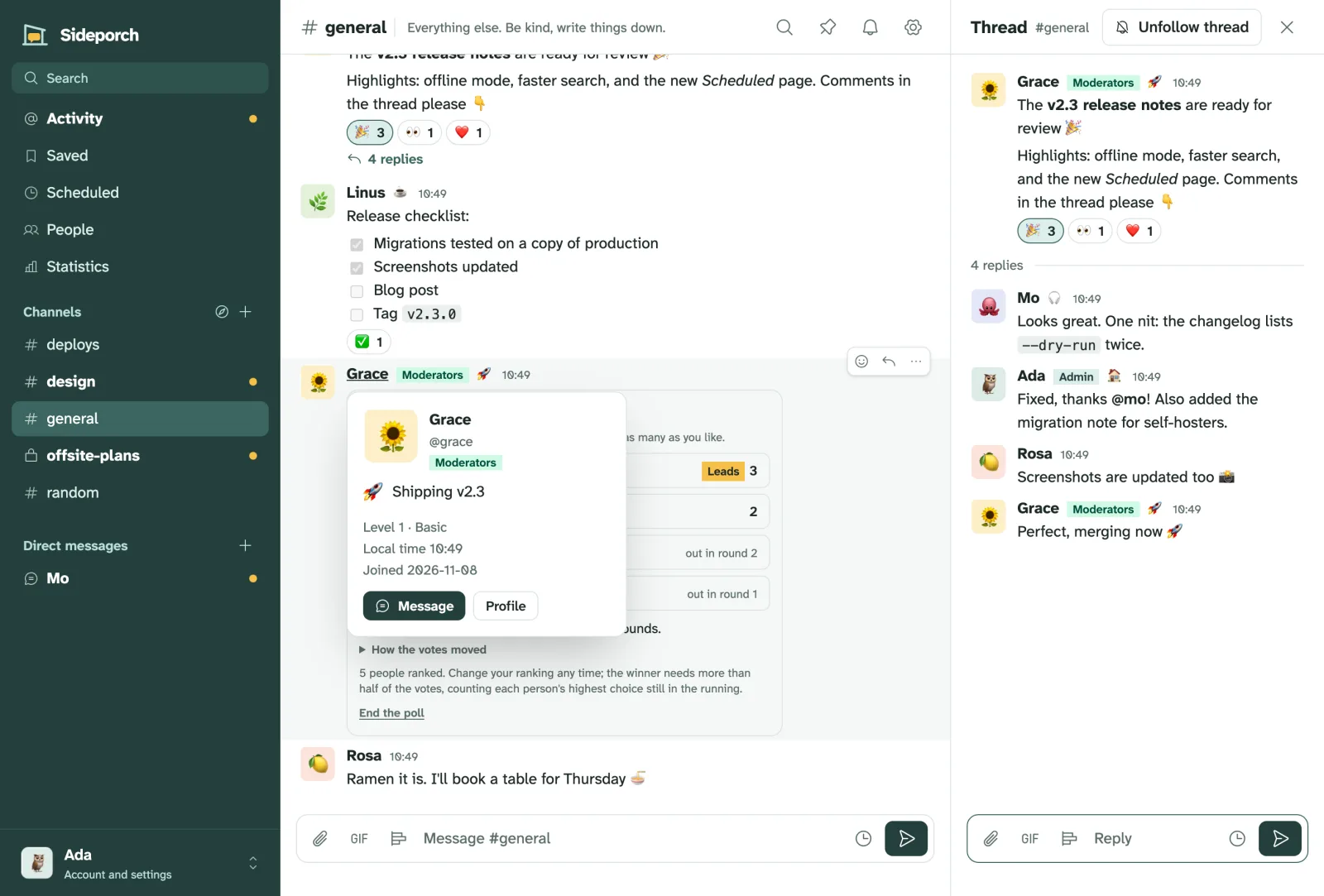
Point at a name or picture in chat, or move to a name with the keyboard, and a card shows who that is: their picture, username, status, badges such as Admin or Moderators, trust level, what time it is where they are, and when they joined, with buttons to message them or open their profile.
Under Edit profile you also pick the emoji your reaction picker shows first.
Sign-in and security
Passwords, passkeys, authenticator apps and your email address are under Sign-in and security in the same menu. See Sign-in and security for what each does.