Statistics
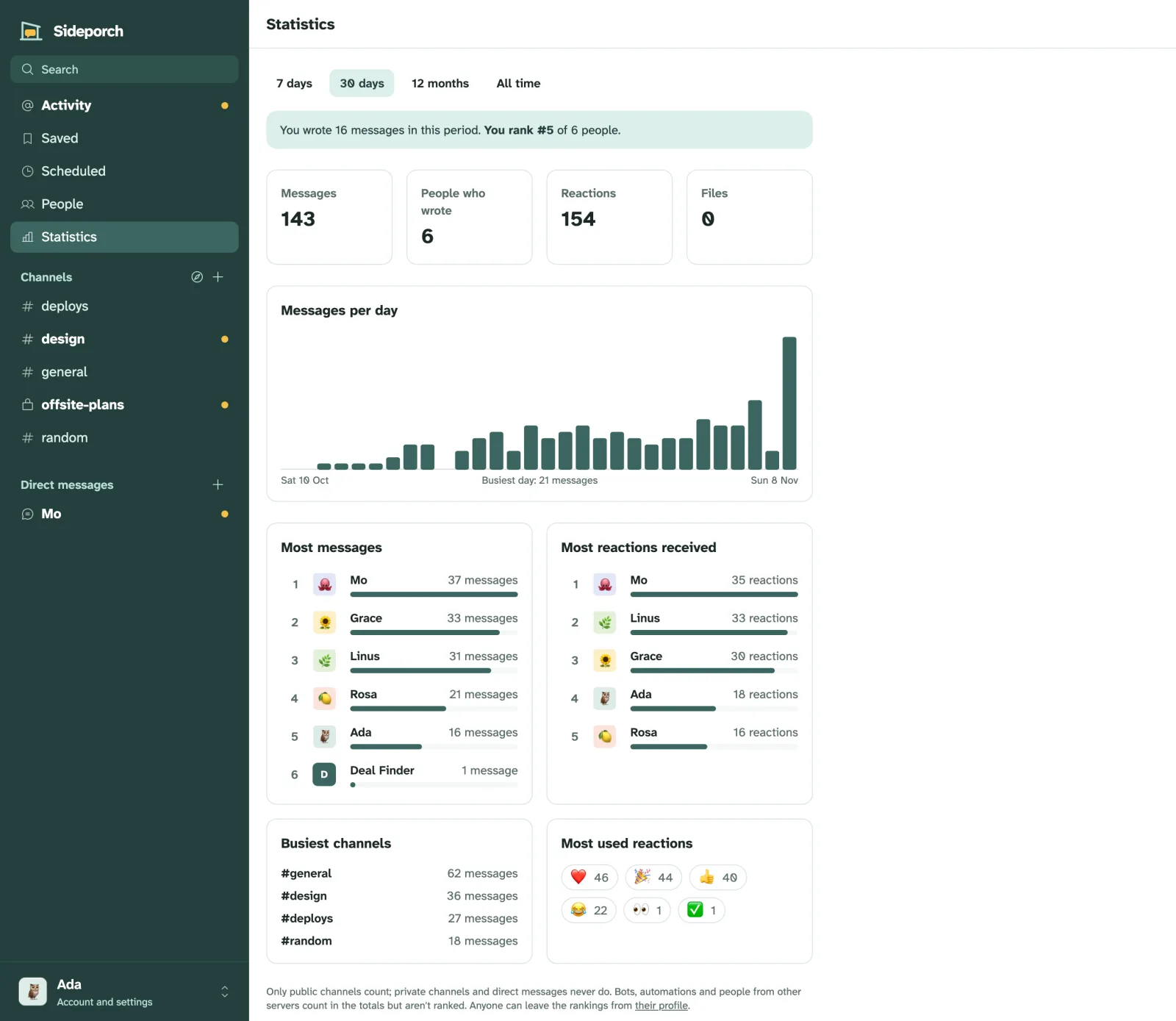
Statistics in the sidebar shows how the community is doing: how many messages were written, when, in which channels, and by whom. Pick a period at the top: the last 7 days, 30 days, 12 months, or all time. New in 0.6.0.
What it shows
- Totals: messages, people who wrote, reactions and files.
- Messages per day: a bar for each day, in your own time zone. Over 12 months the bars are months, and over years of history, years. Point at a bar to see its count.
- Most messages and Most reactions received: the ten people who wrote the most, and whose messages others reacted to most. Reacting to your own message doesn’t count.
- Busiest channels and Most used reactions.
- Where you stand: how many messages you wrote and your place in the ranking.
What counts
Only public channels count. Private channels and direct messages never do, not in the totals and not in the rankings.
On a big server, counting takes a moment, so the numbers are kept for up to a few minutes: about a minute for every second they took to count. Small servers always show them fresh.
Messages from bots, webhooks and automations count in the totals, and so do people from other servers in shared channels, but they aren’t ranked. Deleted messages don’t count.
Leaving the rankings
Anyone can leave the rankings under Edit profile → Statistics: tick Leave me out of the rankings. Your messages still count in the totals, and the page still tells you how many you wrote, but your name isn’t listed.
Who can see them
Everyone at trust level 1 or above sees statistics: people who joined with an invite or were let in, and newcomers once they reach level 1 by taking part. Admins change this under Admin → Permissions with See statistics, like any other permission: raise the level, or choose Roles only and give the permission to a role, so only its people see them.