Automations
Small Lua scripts that react to messages, run on schedules, answer commands and webhooks, and call other services.
Automations are small scripts that do the busywork in your chat. Like Slack workflows, each one says what should happen when something happens, but in a real language, Lua, so they can do more than a form of steps allows. Admins write them in the browser, under Automations in the account menu, test them against made-up events, and switch them on.
-- Greet everyone who joins.
sideporch.on("member_joined", function(event)
  sideporch.post("general", "Welcome to the porch, " .. event.user .. "! :wave:")
end)

-- Ask for updates every weekday morning.
sideporch.cron("0 9 * * mon-fri", function()
  sideporch.post("standup", "Good morning! What are you working on today?")
end)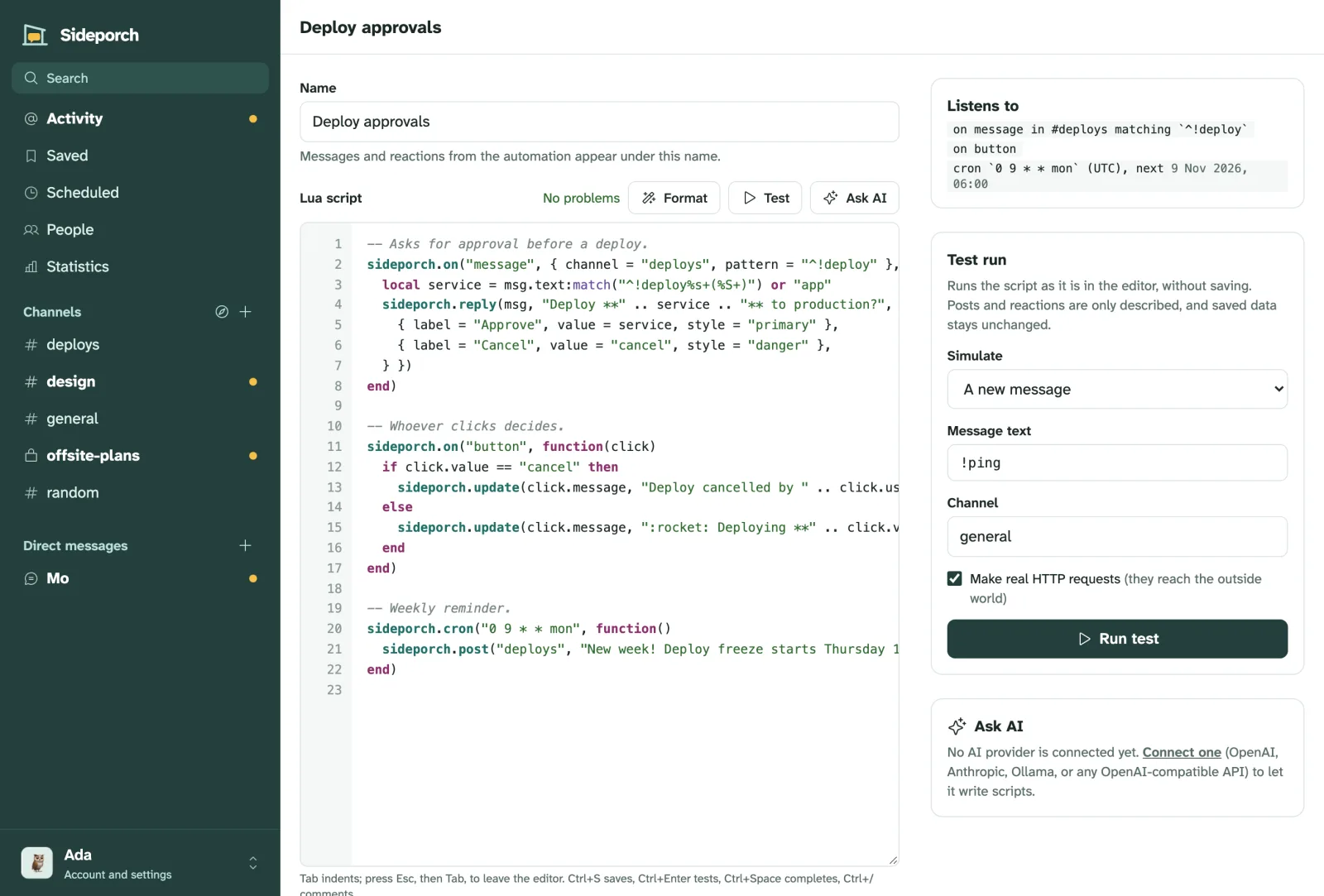
What they’re good for
- Welcoming people and pointing them to the right channels.
- Reminders and routines: a standup question every morning, a weekly digest, a nudge when a thread goes quiet.
- Answers: slash commands like
/weather Berlinor/oncall, and replies to common questions. - Approvals: a message with Approve and Reject buttons that updates itself when someone clicks.
- Connecting services: a webhook URL for each automation that GitHub, a form or a monitor can call, and requests out to any API.
- Keeping score: data that survives restarts, for counters, kudos and state.
The examples show each of these as a complete script.
Where to go from here
- Write your first automation: from an empty editor to a script that runs, in five minutes.
- Learn the editor: completions, the linter, test runs, run logs and history.
- See what scripts can react to and what they can keep, call and share.
- Borrow from the examples, or import automations someone else wrote.
- Look things up in the API reference, and know the limits.
To have a model write automations for you, see AI and MCP.
- Your first automationFrom an empty editor to a script that answers in your chat, step by step.
- The editorCompletions, the linter and formatter, test runs, the webhook URL, run logs and history: everything the automation editor does.
- Events, schedules, commands and webhooksEverything an automation can react to: what happens in channels, button clicks, schedules, slash commands and requests to its webhook URL.
- Data, secrets, HTTP and librariesKeep data between runs, keep API tokens out of scripts, call other services, and share code between automations.
- ExamplesComplete automations to copy: welcomes, standups, approvals, webhooks from GitHub, uptime checks, kudos, a weekly digest and more.
- Sharing automationsExport automations with the libraries they need, and import them on another server after a preview.
- AI and MCPLet an AI model write automations in the editor, or connect your own agent through MCP.
- Automation storeBrowse automations other people publish, and install one with a click after a preview.
- Limits and safetyWhat the sandbox allows, how much a script may do, and what keeps automations from harming the server.
- API referenceEvery sideporch function automations can call, and the tables their handlers receive.