Search
Search every channel and conversation you’re in from the search box at the top of the sidebar. Results appear as you type; the best matches come first, favouring recent ones, or sort them by date instead.
What you can type
| Type | Finds |
|---|---|
tomato soup | messages with words starting like these, in any order |
"release notes" | these words together, in this order |
pizza OR tacos | either word |
-anchovies | messages without this word |
from:ada, from:me | messages from someone, or from you |
in:#ops, in:@ada | messages in a channel, or in your conversation with someone |
has:file, has:image, has:link, has:poll, has:gif, has:reaction | messages with these |
is:pinned, is:saved, is:thread | pinned messages, messages you saved, replies in threads |
mentions:me | messages that mention you |
before:2026-09-01, after:yesterday, on:2026-09 | by date, in your time zone; today and yesterday work too |
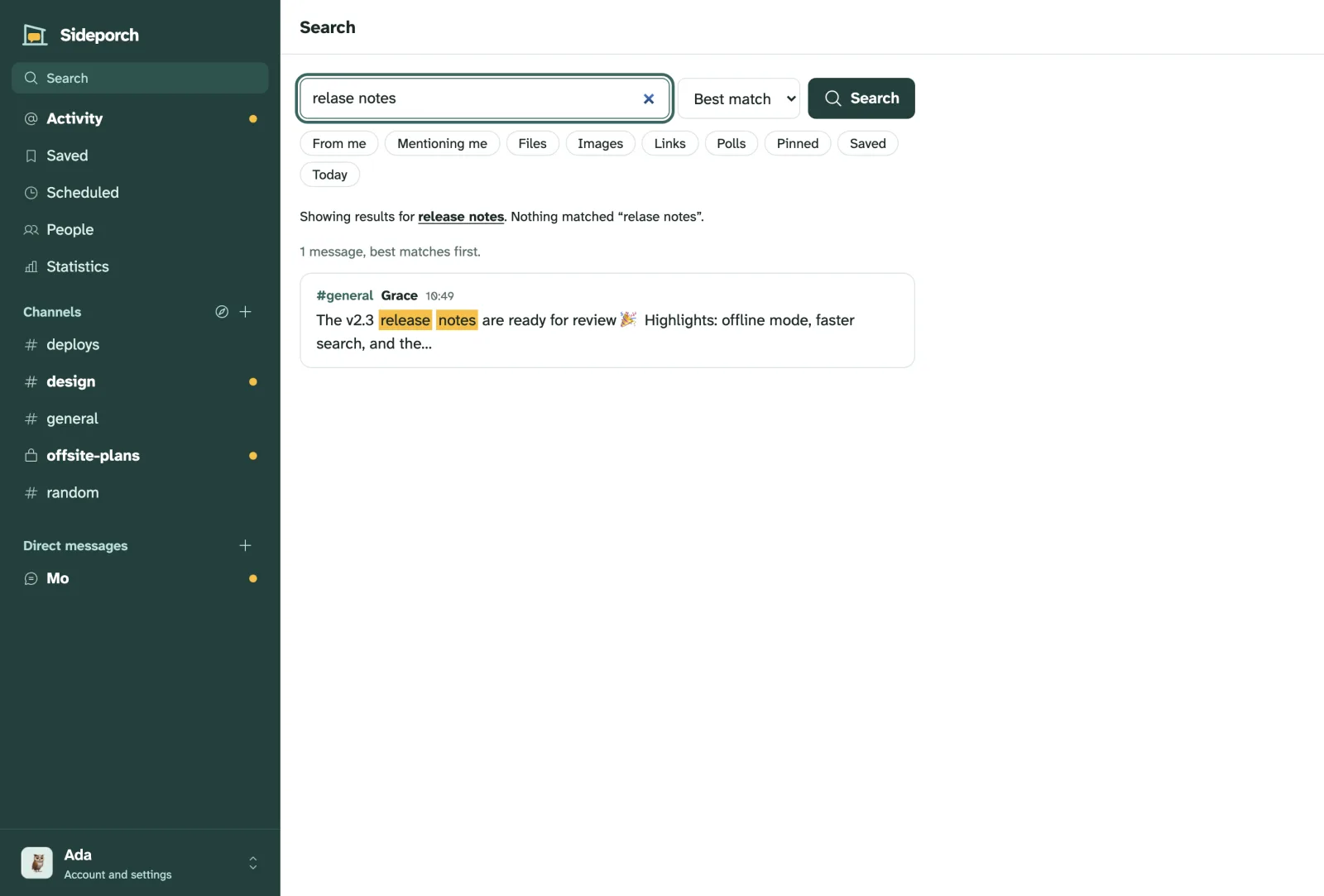
Combine them freely: from:ada in:#ops has:link after:2026-09-01 deploy. The buttons under the search box add the most common filters with one click.
Spelling
Misspelled words are corrected from what your team actually wrote: a search for “relase notes” finds “release notes”, and says so.